
Showing posts with label hard. Show all posts

Thursday, November 6, 2014

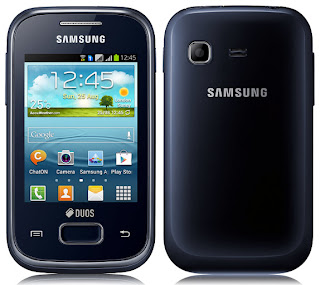
Samsung Galaxy Y Plus S5303 Hard Reset

Samsung Galaxy Y Plus S5303 Hard Reset


Use This Method to Hard Reset Your Galaxy Y plus
  Option 01
Open the application list and select
Settings > Back up and reset > Factory data reset > Reset device > Delete all.
Reset your settings to the factory default values and delete all your data. (
Option 02
 Type  *2767*3855#. 

Option 03
1.      Switch Off Your Phone
2.      Press and hold Home Button  + Volume Up +  power on button (or Press Volume UP + MENU + POWER on.)
3.      Wait for 5 second until Android System Recovery menu appear
4.      There are Many options
         * Reboot System Now
         * Apply Update from Sd card
         * Wipe data/factory reset
         * wipe cache partition
5.     Move the Selection to " Wipe data / factory reset " using volume down ( - ) button and menu button to      confirm, Then Conform It  because the touchscreen doesnt work in recovery mode
6.      Then Choose Reboot System Now
7.      After the process done, phone will reboot.

Read More..

Friday, October 31, 2014

Hard Reset a Blackberry Storm 9500

HardTo perform a master reset or hard reset on your BlackBerry 9500 hard reset or 9530 Storm hard reset series you will need to:

Options >Security Options > General Settings > click menu and choose wipe handheld.

Hope useful.
Read More..

Thursday, October 30, 2014

How to Hard Reset Galaxy Nexus

What if your phone Galaxy Nexus is locked and you forgot the password or the phone becomes very slow in response because the phone memory becomes full or some apps causes the problem? The best thing you can do is to make a full hard factory reset .

Just what is a hard reset? Well , its a simple process using the device buttons that restore your phone back to its default factory settings. It gets rid of all information, applications as well as all media files installed .  Be sure to back up all data and information stored on the phone before doing this.

Below is the procedure on how to hard reset Galaxy Nexus .

1.  Turn off the phone or simply pull the battery out and insert it back again.
2.  Hold Volume down and up button + Power On button until reset menu appears.
3.  Select Recovery Mode by using the volume keys to move through the available options.
4.  Press Power On button to select. The device will restart in Recovery mode.
5.  When robot appear + exclamation point hold again Volume Up and Down button + power On button
6.  Select wipe data/factory reset.
7.  Select Yes -- delete all user data.
8.  Select reboot system now.
Read More..

Friday, September 26, 2014

BlackBerry Curve 8900 Hard Reset Instructions

BlackBerry Curve 8900 Hard Reset Instructions - talking about Blackberry, on this blog we have been discuss about hard reset tutorial for Blackberry Z10. If you want to read about it , visit here. Ok, now about hard reset instructions for the BlackBerry Curve 8900. As we know it, this smartphone work on under GSM network with frequency of 850 / 900 / 1800 / 1900. Its was release on 2008,  November and this phone has discontinued. The phone powered by 512 MHz processor and runs on BlackBerry  operating system with 256 MB of ROM. Ok, how to hard reset this smartphone? Follow this guide below:

BlackBerry Curve 8900 Hard Reset Guide / Instructions :
The first, remove and reinsert the battery
Then, From menu select Menu key > Options > Security Options > Security Wipe > Enter "blackberry" (without quotes), further press the Wipe button on screen.

To delete data from the messages, contacts or other applications, select the Emails, Contacts, Etc check box.
While to delete all third-party applications that you have added, select the User Installed Applications check box.
Then, to delete all files from your media card, select the Media Card check box.

Read More..

Thursday, August 28, 2014

Guide How to hard reset Samsung Galaxy Note 3

Before you buy a new cell phone or new tablet, please try the following procedure to repair your device. First charge your battery, backup your important data if possible and in most cases take out SIM and SD card. It is impossible to recover your data after doing a hard reset, so online backup is always important. For all of your data, a backup should be done on an external device, hard drive, raid system or media. With or without insurance, if your cell phone lost, damaged or stolen at least your invaluable data is backed up in a safe place.

Samsung Galaxy Note 3 hard reset

Power off the N9000 Galaxy Note 3 phone. Press and hold both Volume Up + Home+power on. In the recovery menu select wipe data factory reset with Volume button. Press power to confirm. After hard reset completed, select reeboot system now!  All data will be lost!
samsung

Unlock Samsung Galaxy N9000 password lock, resetting N9002, reset N9005
Press and hold POWER key for more than 7 seconds to reset the device if it has fatal errors or hang-ups, or freezes.
Your device freezes or has fatal errors
If your device freezes or hangs, you may need to close programs or reset the device to regain functionality. If your
device is frozen and unresponsive, press and hold the Power key for 10-15 seconds. The device will reboot automatically.
If this does not solve the problem, perform a factory data reset. In Idle mode, open the application list and select
Settings → Privacy → Factory data reset → Reset phone → Erase everything.

Select Settings > Privacy > Factory data reset: Reset your settings to the factory default values and delete all your data.
Press Application button, then Settings > Reset settings: Reset your settings to the factory default values.
While using your device, be sure to back up important data. When disposing of your device, back up all data and then reset your device
to prevent misuse of your personal information.
Use this method to hard reset your Samsung Galaxy Note SM-N9005: Enter *2767*3855#. Warning! All your data including contacts, messages etc. will be lost! Copy all your necessary data/Contacts/Messages etc. to SIM or make backup to your PC before full reset! Take out SIM card before full reset.
Read More..

Thursday, August 21, 2014

How To Hard Reset Samsung Galaxy Appeal I827

Hard Reset Samsung Galaxy Appeal I827

Samsung i827 Appeal Android System Recovery Password reset

Note: If you entered this menu by mistake, use the Volume Up/Down keys to select reboot system now, then press the Power key. Your phone will then continue to boot up.
To enter the Android System Recovery mode, follow these steps:

  1. With the phone turned off, slide the keypad open. 
  2. Press the Power key and T key at the same time. 
  3. When you feel a vibration from the phone, release the Power key but continue to hold the T key. 
  4. When the recovery screen is displayed, release the T key. 
  5. The following options are available:
  • reboot system now: this option turns on your phone. 
  • apply update from sdcard: this option allows you to apply updates from your memory card to your phone. 
  • Select this -> wipe data/factory reset: deletes all data from the phone except pictures and videos. 
  • wipe cache partition: allows you to delete all cache data such as log files. 
  • test redbend fota: used for development purposes only.
     6. Use the Volume Up/Down keys to scroll up or down, then press HOME key to make a selection.


Samsung Appeal Safe Mode
You can boot your Samsung Galaxy Appeal SGH-I827 (ATT) phone into Safe Mode if you wish to troubleshoot whether or not added applications are causing problems with the device. Safe mode will only load basic system software.
  1. Make sure your phone is turned off. 
  2. Press and hold the power key to boot up your device. 
  3. After the start-up animation begins to display, rapidly tap the Menu key until the Lock screen displays.

When the Lock screen is displayed, Safe mode is displayed in the lower left corner of the screen

Reset you Samsung Galaxy Appeal I827 Your device freezes or has fatal errors

If your device freezes or hangs, you may need to close programs or reset the device to regain functionality.

If your device is frozen and unresponsive, press and hold the Power key for 10-15 seconds. The device will reboot automatically.

If this does not solve the problem, perform a factory data reset. In Idle mode, open the application list and select

Settings > Privacy > Factory data reset > Reset phone > Erase everything.

Select Settings > Privacy > Factory data reset: Reset your settings to the factory default values and delete all your data.

Press Application button, then Settings > Reset settings: Reset your settings to the factory default values.

While using your device, be sure to back up important data. When disposing of your device, back up all data and then reset your device to prevent misuse of your personal information.

Use this method to hard reset your Samsung Galaxy Appeal I827 :

Enter *2767*3855#.
Warning! All your data including contacts, messages etc. will be lost!

Copy all your necessary data/Contacts/Messages etc. to SIM or make backup to your PC before full reset! Take out SIM card before full reset.
Read More..